
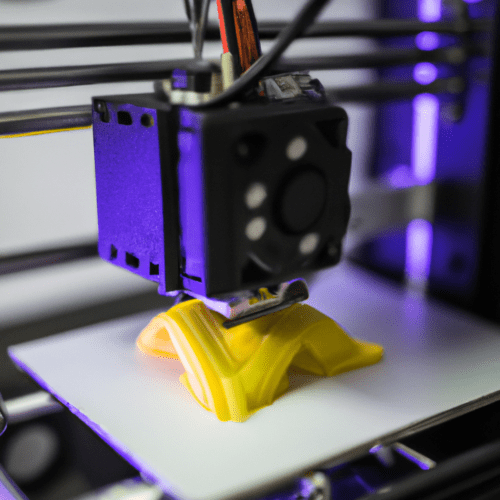
Determining the exact duration for a 3D print job involves a complex interplay of several technical parameters. While a small, simple object might finish in under an hour, larger, intricate designs can demand days of continuous printing. Understanding these variables is crucial for engineers and designers to optimize production schedules and manage expectations effectively.
The overall print time is fundamentally governed by the total toolpath length and the speed at which the printer can deposit material. This includes not only the perimeter walls and infill but also top/bottom solid layers and any necessary support structures.
Understanding the Core Factors of 3D Print Duration
Several key factors directly influence how long a 3D printer takes to complete a task. These include the model’s geometry, chosen print settings, the material being used, and the inherent hardware limitations of the 3D printer itself.
Slicer software plays a pivotal role in translating a digital 3D model into machine-readable G-code, where these parameters are defined. Adjustments within the slicer, such as layer height, infill density, and print speed, offer direct control over the print duration and the final part’s characteristics.
The Critical Role of Layer Height and Nozzle Diameter
| Nozzle Diameter (mm) | Min. Layer Height (mm) | Standard Layer Height (mm) | Max. Layer Height (mm) |
|---|---|---|---|
| 0.25 | 0.06 | 0.13 | 0.2 |
| 0.4 | 0.1 | 0.2 | 0.32 |
| 0.6 | 0.15 | 0.3 | 0.48 |
| 0.8 | 0.2 | 0.4 | 0.64 |
Layer height is arguably the most significant factor influencing 3D print time and vertical resolution. It defines the thickness of each individual slice built along the Z-axis.
Thinner layers, typically ranging from 0.1 mm to 0.2 mm, yield smoother surfaces and finer details, particularly beneficial for intricate designs or curved geometries. However, this comes at the cost of significantly increased print times, as the printer must create more layers to complete the object. For instance, halving the layer height can roughly double the print time.
Conversely, increasing the layer height, often above 0.2 mm, reduces the total number of layers, thereby shortening print times considerably. This approach is suitable for functional parts or prototypes where surface finish is less critical. A common FDM layer height is 0.2 mm, offering a balance between speed and detail.
Nozzle diameter also directly impacts print speed and resolution. Larger nozzles, such as 0.6 mm or 0.8 mm, can extrude more material per pass, leading to faster print times, especially for large-scale projects. They produce thicker layers and stronger walls.
Smaller nozzles, like 0.2 mm or 0.25 mm, are essential for achieving high detail, fine text, and intricate features, but they necessitate slower print speeds to ensure accuracy and prevent errors. The layer height should generally not exceed 80% of the nozzle diameter.
Infill Density and Pattern: Balancing Strength and Speed
Infill density dictates the amount of material filling the internal volume of a 3D printed object. It significantly affects the part’s strength, weight, material consumption, and, critically, print time.
A lower infill percentage, typically 0-15%, is suitable for lightweight, decorative models or prototypes where structural strength is not a primary concern. This minimizes material usage and dramatically reduces printing time.
Conversely, increasing infill density, such as 50-100%, creates a denser internal structure, resulting in stronger, more rigid parts. This is essential for functional components that will undergo stress. However, higher infill percentages directly translate to longer print times due to the increased material deposition.
Infill patterns also influence print time and strength. Simple patterns like ‘lines’ or ‘zigzag’ print faster because they require fewer print head movements. More complex patterns, such as ‘gyroid’ or ‘cubic’, offer superior strength and isotropic properties but take longer to print.
Part Geometry and Print Speed Optimization
The physical dimensions and geometric complexity of a 3D model are fundamental determinants of print duration. Larger objects inherently require more material and a greater number of layers, leading to extended print times.
Complex geometries with intricate details, sharp corners, or significant overhangs demand slower print speeds to maintain accuracy and prevent defects. These features often necessitate additional support structures, which further increase both material usage and print time.
Print speed, measured in millimeters per second (mm/s), directly impacts the time taken. Standard FDM printers typically operate between 40-100 mm/s, while high-speed machines can reach 150-250 mm/s or more with specialized nozzles.
Material type also influences optimal print speed. PLA generally prints faster, often between 40-90 mm/s, due to its lower melting point. ABS typically requires slower speeds, around 30-60 mm/s, to prevent warping and ensure proper layer adhesion. PETG usually falls in the 30-60 mm/s range.
Scaling Print Time: Small versus Large Objects
The size of an object has a non-linear relationship with print time; doubling all dimensions can increase print time approximately eightfold due to the cubic scaling of volume. Small objects, like keychains or chess pieces, might take 30 minutes to an hour.
Medium-sized objects, such as smartphone cases or vases, can require several hours, potentially up to 5-6 hours, depending on their complexity and desired quality. Larger items, like full-size helmets or substantial decorative pieces, can extend print times to over 24 hours or even several days.
Beyond raw volume, the object’s bounding box and overall shape significantly affect print time. A tall, slender tower will have a different print path and duration compared to a flat, wide landscape, even if their total volumes are identical. The printer’s movements, including travel moves and retractions, add overhead to the total time.
Modern slicer software offers advanced features like adaptive layer heights, which can dynamically adjust layer thickness within a single print. This allows for finer layers in detailed areas and coarser layers in simpler sections, optimizing both quality and speed.