
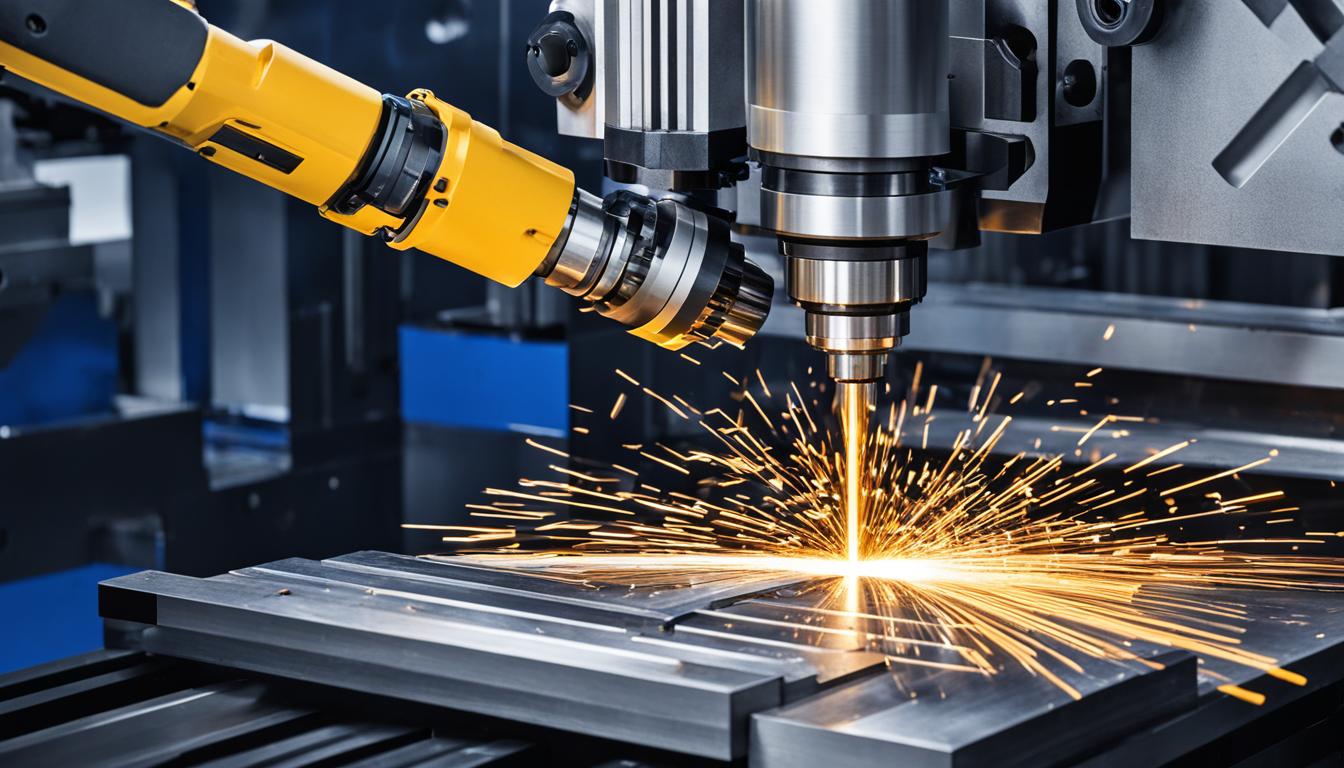
CNC milling, a cornerstone of modern manufacturing, demands a multifaceted skill set extending far beyond simply pressing a ‘start’ button. Achieving precision and efficiency in subtractive manufacturing involves a deep understanding of design principles, material science, machine mechanics, and meticulous process control. The perceived difficulty often stems from the interconnectedness of these disciplines, where proficiency in one area directly impacts success in another.
Successful CNC operators and programmers integrate theoretical knowledge with practical application, continuously refining their approach to complex geometries and tight tolerances. This journey requires dedication to mastering several distinct, yet interdependent, technical domains. Each stage, from initial design to final part inspection, presents unique challenges that contribute to the overall learning curve.
Mastering CAD Design for CNC
Computer-Aided Design (CAD) forms the foundational blueprint for any CNC milling operation, translating conceptual ideas into precise digital models. Learning a robust CAD package like SolidWorks, Fusion 360, or Inventor typically involves understanding parametric modeling, sketching constraints, feature creation, and assembly design. The initial learning curve can be steep, as users must internalize a new spatial reasoning paradigm and software-specific workflows.
Proficiency in CAD for CNC specifically means designing with manufacturability in mind, anticipating tool access, material removal strategies, and potential workholding challenges. This includes applying appropriate fillets and chamfers, ensuring adequate wall thicknesses, and understanding how design choices influence machining time and cost. Many engineers find that a dedicated 80-120 hour training program, combined with consistent practice, establishes a solid operational base.
Modern CAD software often integrates generative design tools and simulation capabilities, allowing designers to optimize part geometry for strength-to-weight ratios or specific performance criteria. These advanced features, while powerful, add another layer of complexity to the design process. Understanding the underlying engineering principles behind these tools is crucial for effective implementation.
Navigating CAM Toolpath Generation
| Material | SFM (Surface Feet/Minute) | IPT (Inches Per Tooth) | Standard Tolerance (General) |
|---|---|---|---|
| 6061 Aluminum | 600 – 1200 | 0.002 – 0.006 | ±0.002″ (±0.05mm) |
| 4140 Steel (Hardened) | 200 – 400 | 0.001 – 0.003 | ±0.001″ (±0.025mm) |
| 304 Stainless Steel | 250 – 500 | 0.0015 – 0.004 | ±0.0015″ (±0.038mm) |
| Delrin (POM) | 500 – 1000 | 0.003 – 0.008 | ±0.003″ (±0.076mm) |
Computer-Aided Manufacturing (CAM) software translates CAD models into machine-readable G-code, dictating the precise movements of the CNC machine’s cutting tools. This stage introduces significant complexity, as programmers must select appropriate cutting strategies, tool types, and machining parameters for each feature. Common CAM packages include Mastercam, Fusion 360 CAM, and GibbsCAM, each with its own interface and workflow nuances.
Generating efficient and safe toolpaths requires a comprehensive understanding of material properties, cutting tool geometry, and machine kinematics. Programmers must consider factors such as chip evacuation, heat generation, and tool deflection to prevent premature tool wear or part damage. Adaptive clearing and high-efficiency milling (HEM) strategies are widely adopted today, significantly reducing machining times and extending tool life by maintaining a constant chip load.
The iterative process of toolpath generation often involves simulating the machining process to identify potential collisions, excessive material removal, or inefficient movements. Post-processing, which converts generic toolpaths into machine-specific G-code, also demands attention to detail, as incorrect post-processors can lead to machine errors. A thorough understanding of G-code fundamentals is invaluable for verifying and troubleshooting generated programs.
Precision in Speeds and Feeds Calculations
Accurate calculation of speeds and feeds is paramount for achieving desired surface finishes, maintaining dimensional accuracy, and maximizing tool life in CNC milling. These parameters, including Spindle Speed (RPM), Feed Rate (IPM), Surface Feet Per Minute (SFM), and Inches Per Tooth (IPT), are interdependent and material-specific. Incorrect settings can lead to chatter, tool breakage, poor surface quality, or excessive wear.
Modern engineering practices often leverage manufacturer’s recommendations, online calculators, and empirical data for initial settings, which are then fine-tuned based on real-world machining conditions. Factors such as tool material (e.g., carbide, HSS), coating (e.g., TiAlN, AlTiN), workpiece material hardness, and machine rigidity all influence optimal parameters. Maintaining a constant chip load is a key principle for efficient material removal and tool longevity.
Standard tolerances for general CNC milling typically range from ±0.005 inches (±0.127 mm) for less critical features down to ±0.001 inches (±0.025 mm) for precision components. Achieving tighter tolerances, such as ±0.0005 inches (±0.0127 mm), often necessitates specialized tooling, advanced machine capabilities, and stringent environmental controls.
Developing Robust Workholding Expertise
Effective workholding is fundamental to successful CNC milling, ensuring the workpiece remains rigidly secured throughout the machining process. Improper workholding can lead to chatter, part movement, dimensional inaccuracies, and even catastrophic tool or machine damage. Developing strong hands-on skills in this area involves understanding various clamping methods, fixture design principles, and the mechanics of force distribution.
Common workholding solutions include vises, clamps, chucks, vacuum fixtures, and custom jigs designed for specific part geometries. The selection depends on factors such as part size, material, required accuracy, and the forces exerted during machining. Precision workholding often involves using dial indicators and edge finders to accurately locate the workpiece relative to the machine’s coordinate system.
Modern practices emphasize quick-change workholding systems and modular fixturing to reduce setup times and increase machine utilization. Understanding how to mitigate vibration, distribute clamping forces evenly, and prevent workpiece deformation are critical skills. The ability to design and implement custom fixtures for complex or delicate parts is a hallmark of an experienced tooling engineer.
Effective CNC Program Debugging Strategies
Even with meticulous planning, CNC programs frequently require debugging to resolve errors that arise during initial machine setup or dry runs. Common issues include syntax errors in G-code, incorrect tool offsets, coordinate system mismatches, and unexpected machine behavior. Debugging demands a systematic approach and a thorough understanding of G-code commands and machine control logic.
Initial debugging often involves ‘dry running’ the program with the spindle off and feed rates reduced, carefully observing tool paths and machine movements. Simulation software, both integrated into CAM systems and standalone, plays a vital role in identifying potential collisions or errors before they occur on the machine. These simulators provide a visual representation of the machining process, highlighting issues like rapid moves into material or incorrect tool changes.
On-machine debugging requires interpreting alarm codes, understanding machine diagnostics, and making precise adjustments to offsets or program lines. Experienced operators develop an intuitive sense for identifying anomalies, such as unusual cutting sounds or chip formation, which indicate underlying program or parameter issues. The ability to methodically isolate and correct errors is a critical skill that significantly reduces downtime and material waste.