
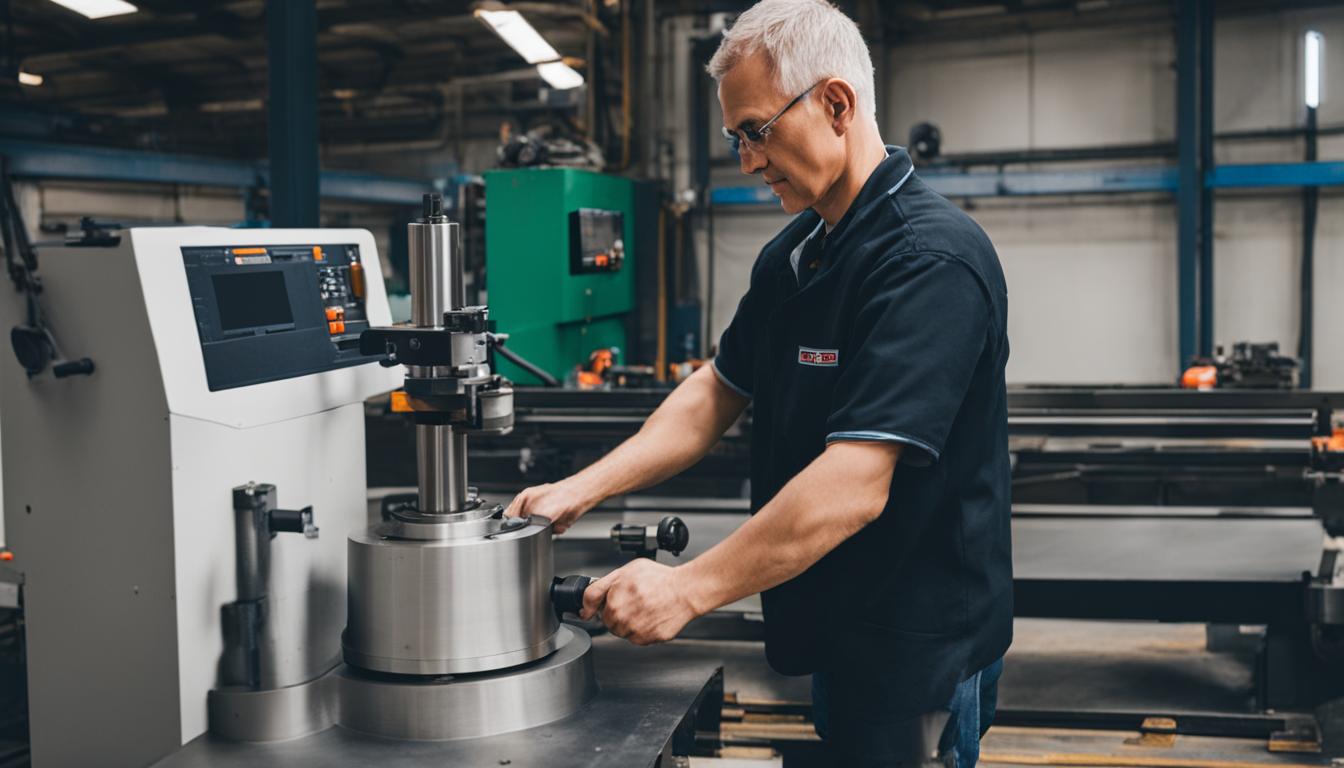
Modern CNC milling machines, while primarily designed for automated production, retain significant manual operational capabilities. These features allow machinists to perform tasks requiring direct human intervention, bridging the gap between traditional manual machining and advanced computer numerical control. Understanding these integrated manual functions is essential for maximizing machine versatility and operator efficiency.
Integrating manual control options into CNC platforms provides substantial flexibility for setup, prototyping, and one-off operations. This hybrid functionality allows operators to leverage the precision of a CNC machine while maintaining the tactile feedback and immediate control characteristic of conventional mills. Such adaptability is particularly valuable in toolrooms and job shops where diverse tasks are common.
Electronic Handwheel Control for Precision
Electronic handwheels, also known as Manual Pulse Generators (MPGs), are fundamental for precise manual positioning on CNC mills. These devices translate an operator’s rotational input into incremental axis movements, offering fine control over X, Y, Z, and often A/B/C rotary axes. The resolution of an MPG typically ranges from 0.0001 inches (0.0025 mm) to 0.001 inches (0.025 mm) per click, depending on the machine and controller settings.
Operators utilize MPGs for critical tasks such as setting work offsets, touching off tools, and performing intricate contouring that might be difficult or time-consuming to program. The tactile feedback from the detents on the handwheel provides a sense of direct control, allowing for highly accurate adjustments. Many modern CNC controllers, such as those from Fanuc, Siemens, and Haas, offer robust MPG integration, often with customizable step increments.
The electronic nature of these handwheels means that movement is executed by the machine’s servo or stepper motors, ensuring consistent force and smooth travel. This contrasts sharply with purely mechanical handwheels, which can be subject to varying friction and operator fatigue. Precision adjustments are made with confidence, knowing the machine’s inherent accuracy is maintained.
Direct Input with Conversational MDI
| Feature | Manual Operation (on CNC Mill) | CNC Automated Operation |
|---|---|---|
| Control Method | Electronic handwheel, MDI, physical handwheels | G-code program execution |
| Precision | Operator skill-dependent, MPG resolution (e.g., 0.0001″) | Machine resolution, program accuracy (e.g., 0.00001″) |
| Repeatability | Lower, human variability | High, machine-dependent (e.g., ±0.0002″) |
| Setup Time | Faster for simple tasks, prototyping | Longer for programming, faster for production |
| Ideal Use | Tool touch-off, one-offs, troubleshooting, fine adjustments | Production runs, complex geometries, high repeatability |
Manual Data Input (MDI) mode provides a powerful interface for executing single lines or short blocks of G-code and M-code commands directly from the control panel. This ‘conversational’ approach allows operators to perform specific machine functions without loading an entire program. Common applications include moving an axis to a precise coordinate, changing a tool, or initiating a spindle start/stop command.
For instance, an operator can input ‘G0 G90 X10.0 Y5.0;’ to rapidly position the table to a specific absolute coordinate, or ‘M03 S1500;’ to start the spindle at 1500 RPM. This immediate execution capability is invaluable for quick checks, minor adjustments, or troubleshooting during setup. Most CNC controllers feature a dedicated MDI screen or mode for this purpose.
While not a substitute for full program execution, MDI mode significantly enhances manual control by allowing direct interaction with the machine’s core functions. It streamlines operations that would otherwise require navigating through complex menus or writing and loading a full program. This direct command input is a cornerstone of efficient manual intervention on CNC platforms.
Traditional Manual Feeds on CNC Platforms
Many CNC mills, particularly those designed as ‘toolroom’ or ‘hybrid’ machines, incorporate traditional manual quill and table feed mechanisms. The manual quill feed allows operators to plunge a tool vertically using a hand lever, similar to a conventional drill press. This is particularly useful for drilling operations where tactile feedback on cutting pressure is desired, or for quickly spotting holes.
Manual table feeds, often found on hybrid machines, enable operators to move the X and Y axes using physical handwheels directly connected to the lead screws. These handwheels provide a direct mechanical link, offering a familiar feel for machinists accustomed to manual mills. This dual functionality allows for rapid manual positioning or even light machining passes without engaging the CNC controls.
The integration of these manual feeds provides a safety net and convenience for tasks that do not require the full automation of CNC. It allows for quick, intuitive movements for part loading, inspection, or simple operations where programming a full G-code routine would be overkill. This blend of control methods optimizes workflow for varied production demands.
Understanding Lead Screw Backdrive Limitations
Lead screws, commonly found in older or more economical CNC machines, present specific limitations when operated manually, primarily due to backlash. Backlash is the mechanical play or clearance between the threads of the lead screw and its nut, leading to a small amount of lost motion when the direction of travel is reversed. This can significantly impact manual positioning accuracy.
When an operator uses a manual handwheel on a lead screw-driven axis, the backlash must be accounted for, often by always approaching a target position from the same direction. Modern CNC machines predominantly use preloaded ball screws, which virtually eliminate backlash, providing much stiffer and more accurate manual control via electronic handwheels. Ball screws offer superior rigidity and precision for both manual and automated movements.
The ‘backdrive’ effect is another consideration with lead screws. Under certain conditions, a load on the table can cause the lead screw to rotate, potentially leading to unintended movement. This is less common with ball screws due to their higher efficiency and often self-locking characteristics when not under power. Understanding these mechanical nuances is crucial for safe and accurate manual operation on different machine types.
Hybrid Toolroom Mill Configurations
Hybrid toolroom mills represent a specialized category of machines designed from the ground up to excel in both manual and CNC modes. These machines typically feature robust mechanical structures, often resembling traditional knee mills, combined with advanced CNC controls and servo drives. They are engineered to provide the tactile feel of manual operation alongside the precision and automation of CNC.
Key characteristics include integrated electronic handwheels, manual quill levers, and often physical handwheels for X and Y axes that can be disengaged or overridden by the CNC system. These machines are ideal for prototyping, mold making, repair work, and educational environments where operators need to switch seamlessly between control paradigms. Their versatility makes them a staple in many job shops.
Such machines often incorporate features like digital readouts (DROs) that function independently or in conjunction with the CNC controller, providing real-time position feedback during manual operations. The ability to quickly switch from manual setup to CNC program execution without re-fixturing or machine changes significantly boosts productivity. This dual-mode functionality is a hallmark of modern toolroom efficiency.